
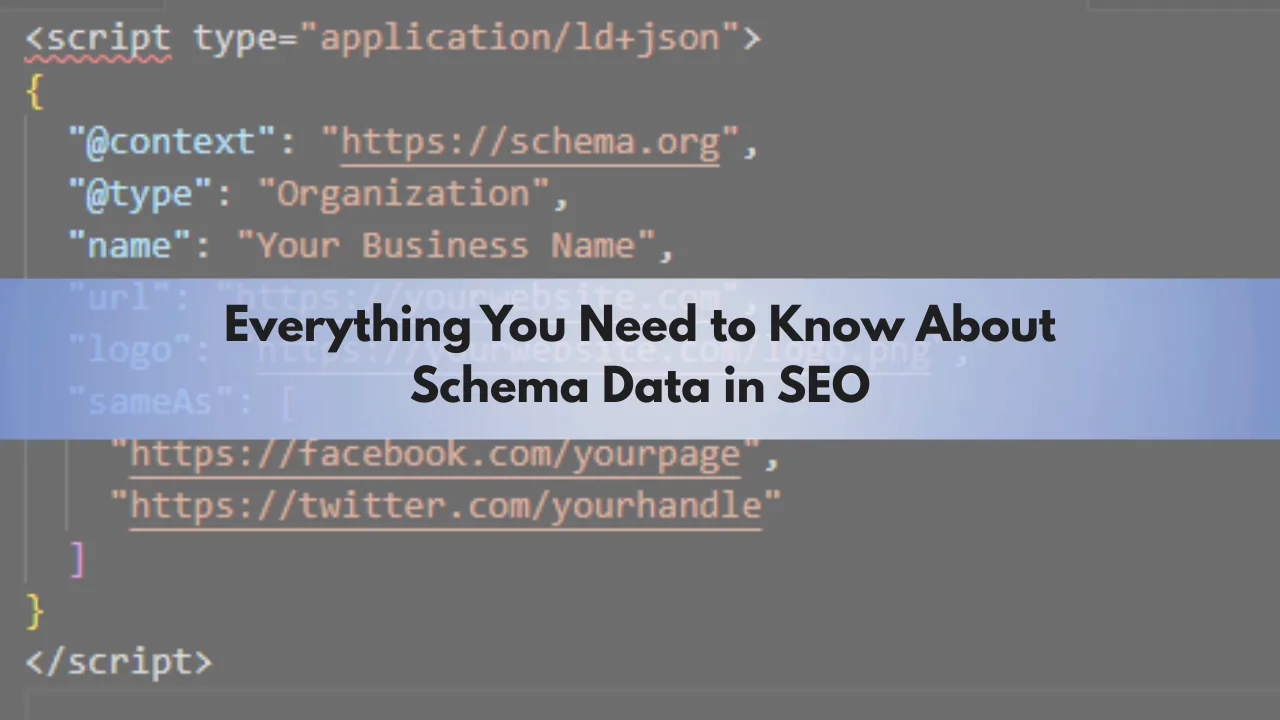
Have you ever wondered how some Google search results show recipe images, FAQ dropdowns, star ratings, or product information?
Well, this all is done with the Schema data.
Schema (also called structured data or schema markup) is a special code you add to your website to tell the meaning of a content to the search engine. Search engines can read our content but not really like us. They read it in the code form and Schema gives them a clear label of what this content actually mean. It is written in the JSON-LD language and generally stored in the <head> section of the HTML document. However, technically, you can place it anywhere in the HTML. Once the schema data is accepted by Google, it use it to show rich results like star rating or product pages in the search engine.
Most people and even the professional SEOs are not very well aware of schema especially when they work on the CMS like WordPress. Plugins like Rank Math and YoastSEO does everything related to schema for us. So, if you are adding an FAQ into your post, this plugin automatically tells the search engines that this is an FAQ and then the search engine knows what to do with it. Without schema, FAQ is just a normal text which will be indexed and ranked as the text without any further enhancements in the SERPs.
In this article, we are going to discuss everything related to it and how you can optimize your websites in a much better way with the help of schema data.
What Is Schema Markup?
Schema Markup is used to identify a content to the search engines about what it’s content and purpose. Imagine handing Google a cheat sheet that explains this is a blog post and that’s the author name. Perhaps this is a product page with the product review of 4.5 stars. Without Schema, Google will read this page as a text and do not fully understand its purpose. However, with schema, it clearly understands the content and it may appear in the rich results.
A star rating with the number of total reviews in recipe boxes in Google results is a good example of Google using schema data.
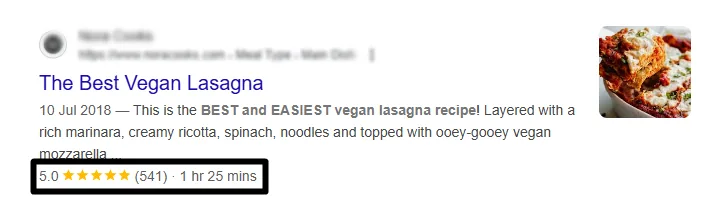
Now, schema data is provided by the author of the website. For example, the recipe that you see above is surely good. But, how do Google knows if these ratings are genuine or not. There is no way Google can do it unless it is picking it from platforms where real people add their ratings. Google may use algorithms and guidelines to detect manipulations or spammy markups but it has no direct method to detect any false rating markups. However, for other schema data such as FAQs, the content is easy to detect for its helpfulness.
Another good example of Schema Markup on SERPs is these events information.

It is important to understand that search engines, including Google, doesn’t necessarily show rich results just because you have added the schema data for it. So, the visibility of your results as rich results will depend on whether a search engines decides or not.
Why Schema Markup Matters for SEO?
Schema Markup is helpful for some type of websites and blogs while completely unusable for others. However, some structured data like the author name, publishing dates are useful for most websites. Schema Markup is mainly to enable rich results. With the help of it, your website or its pages become eligilble for rich results and enhanced search features like:
- Star ratings
- Expandable FAQs
- Step-by-step how-to instructions
- Recipe cards
- Event listings
- Breadcrumbs
- Video previews
It can be a great tool to grab attention in the SERPs and can help you increase your CTR (Click-Through Rate).
Schema Markup can be really helpful for E-commerce stores to show their products, reviews, and ratings in the SERPs. Additionally, it can help local businesses by showing schemas like opening hours, address, etc. It is useful for recipe and food blocks along with educational and How-To site. For businesses working in hospitality and event management.
Types of Schema
Schema data can be found in databases and data exchanges. However, in SEO or Web Development, there are 8 main types of schema which are as follows.
- Organization (company info)
- Person (profile details)
- Product (name, description, price, ratings)
- Event (dates, locations, ticketing)
- LocalBusiness (address, hours, contact)
- Article / BlogPosting (author, headline, datePublished)
- FAQPage (questions & answers)
- Recipe (ingredients, instructions, nutrition)
Recipe, FAQs, Products, and Events are the most common. However, the search engines may utilize others to understand the context but may refuse to use them on the SERPs.
How to Add Schema to Your WordPress Site?
You can add schema or structured data to your WordPress site using a plugin or manually. In custom websites, manual methods are preferred. On WordPress, plugins like Rank Math SEO, Yoast SEO, Schema Pro, and All in One SEO (AIOSEO) can make things easier for you.
Rank Math Example
Steps (Example: Rank Math)
- Install and activate Rank Math from Plugins > Add New.
- Go to Rank Math > Titles & iMeta > Choose the default schema type for each post type.
- Edit any post/page > Scroll to Rank Math Schema > Select or customize schema type (Article, Product, Recipe, FAQ, etc.).
- Save & update the post.
Adding Schema Markup Manually
First of all, you have to determine the schema type, which you can do from here schema.org. You can choose to create JSON-LD markup which is preferred by the Google search engine. An example schema for an organization will look like this.
<script type="application/ld+json">
{
  "@context": "https://schema.org",
  "@type": "Organization",
  "name": "Business Name",
  "url": "https://xyzwebsite.com",
  "logo": "https://xyzwebsite.com/logo.png",
  "sameAs": [
    "https://facebook.com/xyzpage",
    "https://twitter.com/xyzhandle"
  ]
}
</script>
How to Test and Validate Schema Markup
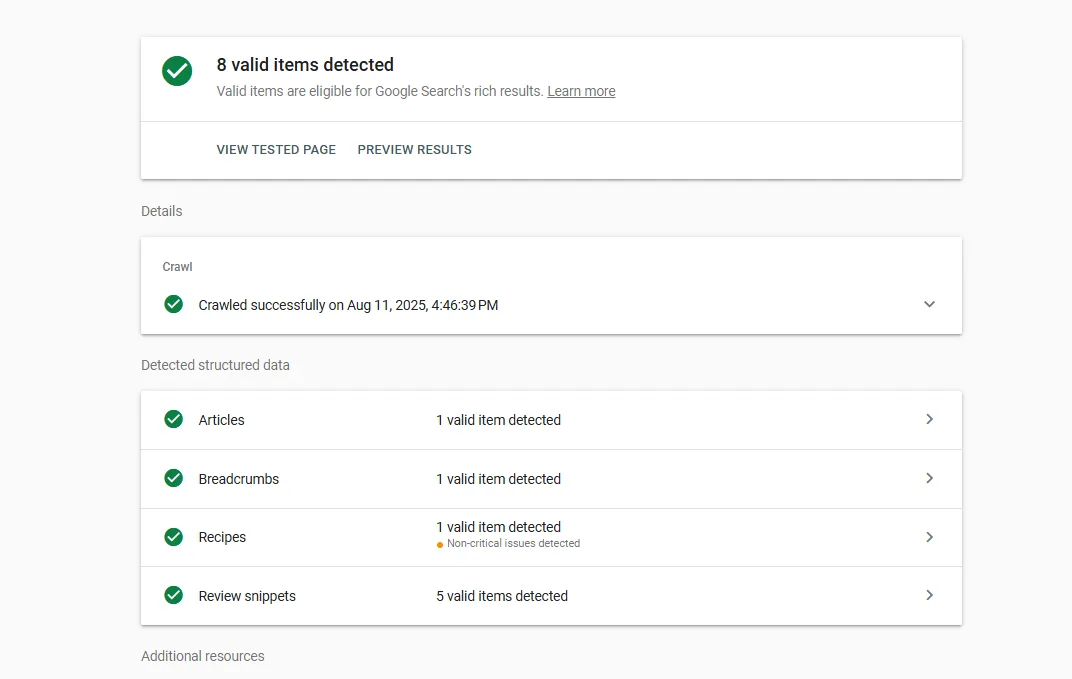
After adding schema, you can test it through Google Rich Result Test or Schema.org validator. I generally prefer Google Rich result test and it shows the results in this way.
Best Practices for Using Schema Data
- Always make sure to only add the schema data that accurately highlight and represent your content. For example, don’t label a blog post as a product unless it’s actually selling.
- Also, make sure your dates, prices, names, or other details in schema match the visible content. Misleading or outdated schema data can cause search engines to ignore it.
- Always use JSON-LD format for cleaner and easier-to-maintain data.
- Always try to update schema data whenever you do any change to your content.
Conclusion
Schema data is a really helpful element of SEO which can help your content grow more on the search engines. It helps the search engines understand your content better and show it in different formats on the results pages. Make sure to always select the right schema data. Also, if you are not aware completely about the technicalities, it is good to hire an expert. For WordPress, it is pretty easy through the SEO plugins.